
Pinterest’s 500 million monthly users make it a powerhouse for driving traffic and engagement. This guide reveals how to create a Pin on Pinterest, covering step-by-step processes, design tips, SEO strategies, and mobile Pin creation to boost your brand’s visibility. Master these techniques to captivate your audience and grow in 2025.
Why You Should Create a Pin on Pinterest?
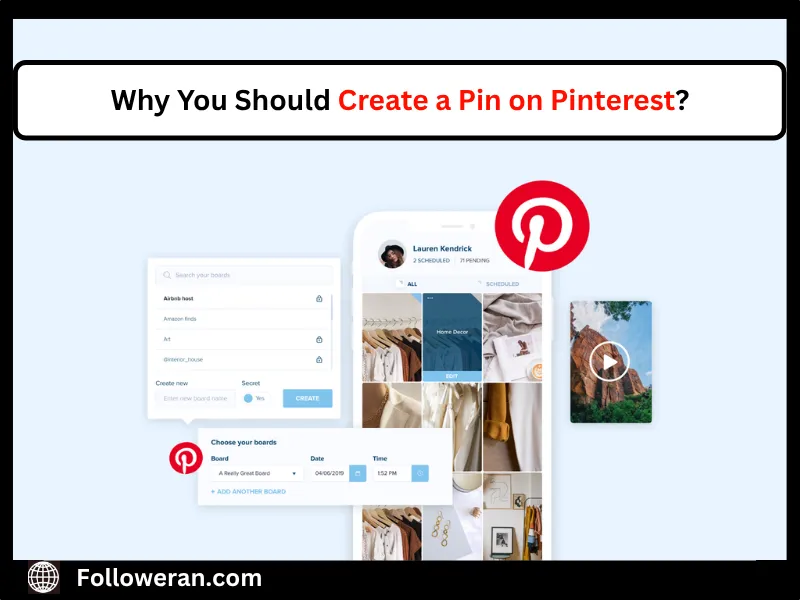
Pins are visual bookmarks that link to websites, products, or blogs, making them essential for businesses and creators. Create a pin on Pinterest to tap into an audience with high purchase intent—85% of users plan to make purchases here. Pins are evergreen, driving traffic long after posting and other key benefits are:
- High Engagement: Pins with compelling visuals get 6x more saves.
- SEO-Friendly: Keywords boost discoverability.
- Versatile Formats: Standard Pins, Idea Pins, and videos to diverse goals.
Note: Leverage a Pinterest SMM Panel to streamline your Pin creation and promotion, maximizing visibility across these formats. This tool can enhance your strategy, ensuring your Pins reach the right audience with precision.
Step-by-Step Guide to Create a Pin on Pinterest
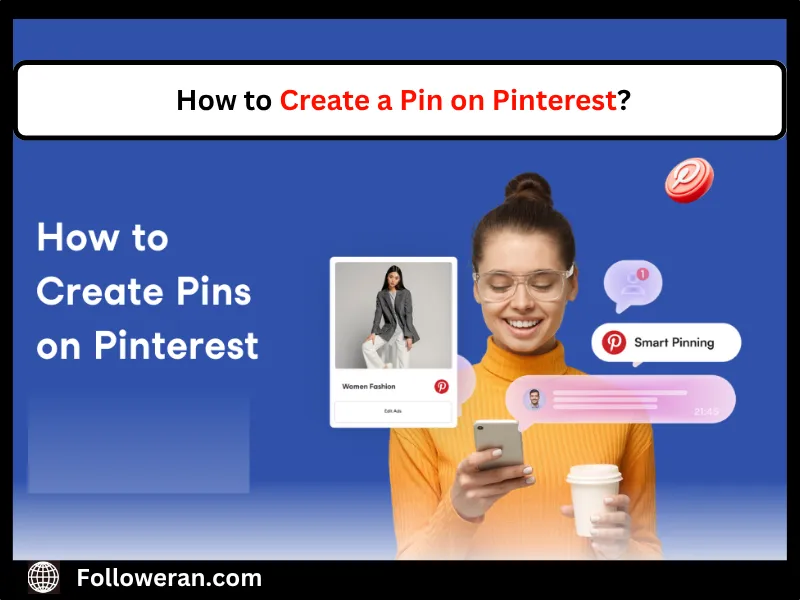
How to Create a Pin on Pinterest? Follow these steps to craft a Pin that stands out:
- Log In or Sign Up: Access your Pinterest account (business accounts unlock analytics). Go to business.pinterest.com to create one.
- Access the Create Tool: Click the “Create” button (plus sign) on the top-right corner of the desktop site.
- Upload Content: Select “Create Pin” and upload an image (1000×1500 pixels, 2:3 ratio) or video (up to 50MB).
- Add Details: Include a title (up to 100 characters) with keywords, a 500-character description, and a destination link.
- Choose a Board: Save to a relevant, keyword-optimized board.
- Publish or Schedule: Click “Publish” or schedule using tools like Tailwind.
To keep your boards fresh and aligned with your brand, learn how to remove Pins from Pinterest that no longer fit your strategy. This ensures your profile remains engaging and relevant, boosting the impact of your newly created Pins.
Designing Pins That Captivate Audiences
A Pin’s visual appeal is critical. Create a Pin on Pinterest with designs that grab attention:
- Use High-Quality Images: Opt for vibrant, high-resolution visuals. Tools like Canva offer Pinterest templates.
- Maintain 2:3 Ratio: Images at 1000×1500 pixels perform best on mobile, where 80% of users browse.
- Add Text Overlays: Include bold, readable text and use sans-serif fonts for clarity.
- Incorporate Branding: Add your logo subtly to build recognition without overwhelming the design.
Boost your stunning Pins’ reach by choosing to buy Pinterest followers from trusted providers for greater initial engagement. This strategy enhances your Pin’s visibility, attracting more clicks and saves from a targeted audience.
Optimizing Pins for Pinterest SEO
To create a Pin on Pinterest that ranks well, SEO is key. Pinterest functions like a search engine, prioritizing keyword-rich content. How to Create a Pin on Pinterest more effectively? Optimize with these tactics:
- Keyword-Rich Titles: Use phrases like “Budget Travel Tips 2025” to match user searches.
- Detailed Descriptions: Write 100-150 character descriptions with keywords and a call-to-action (e.g., “Discover now!”).
- Hashtags: Add 3-5 relevant hashtags (e.g., “#HomeDecorIdeas”) to boost discoverability.
- Board Optimization: Save Pins to boards with keyword-optimized titles and descriptions (e.g., “Sustainable Fashion”).
Create a Pin on Pinterest with SEO in mind to ensure it appears in relevant searches, driving traffic to your site or store besides that Elevate your Pin’s impact by opting to buy Pinterest followers from reliable sources like followeran to kickstart engagement. This approach boosts your content’s visibility, driving more clicks and saves from an interested audience.
How to create a Pin on Pinterest mobile?
The Pinterest app makes Pin creation seamless for on-the-go users:
- Open the App: Log into the Pinterest app on iOS or Android.
- Tap Create: Click the plus icon at the bottom and select “Pin.”
- Upload Media: Choose an image or video from your device (ensure 1000×1500 pixels for images).
- Add Details: Enter a title, description, and link. Use keywords like “DIY Crafts 2025.”
- Select Board: Save to a relevant board and publish.
Mobile creation is ideal for quick Idea Pins, like tutorials or product demos. Create a Pin on Pinterest via mobile to stay active, especially during peak posting times.
You can amplify your Pins’ reach by choosing to buy Pinterest repins from trusted services to boost engagement and visibility. Repins increase your content’s exposure, driving more traffic to your tutorials or demos.
Leveraging Idea Pins for Engagement
Idea Pins, Pinterest’s multi-page, video-like format, are perfect for storytelling. Create a Pin on Pinterest as an Idea Pin to showcase step-by-step guides or product features:
- Design Engaging Content: Use up to 20 pages with images, videos, or text. Add stickers or music via the app.
- Focus on Tutorials: Create Pins like “5-Minute Makeup Routine” to boost engagement.
- Include CTAs: End with a “Shop Now” or “Learn More” to drive action.
Avoiding Common Mistakes When Creating Pins!
To create a Pin on Pinterest successfully, avoid these pitfalls:
- Low-Quality Images: Blurry or poorly lit visuals deter engagement.
- Keyword Stuffing: Overloading descriptions with keywords looks spammy.
- Ignoring Trends: Pins aligned with Pinterest Predicts 2025 (e.g., “#RebelFloats”) perform better.
- No CTA: Without a clear action (e.g., “Click to Shop”), users may not engage.
Regularly check Pinterest analytics to refine your strategy and ensure Pins resonate with your audience.
Using Pinterest Analytics to Improve Pins
Analytics are crucial to creating a Pin on Pinterest that performs. With a business account, track:
- Impressions and Saves: Identify which Pins attract the most views.
- Click-Through Rates: Measure how often users visit your linked site.
- Top Keywords: See which search terms drive traffic to optimize future Pins.

Start Creating Pins Today!
Learn how to design eye-catching Pins, optimize with keywords, and track performance using Pinterest analytics. From mobile-friendly Idea Pins to SEO-smart descriptions, you’ll find everything you need to grow in 2025.
Need a quick engagement boost? Combine organic strategies with services like Buy Pinterest Likes to increase visibility and traction from day one.