

Pinterest is a powerful visual search engine that businesses can leverage to connect with engaged audiences. This guide explores how to use Pinterest for business effectively, covering account setup, content strategies and trends for 2025, empowering you to drive traffic, boost sales, and build brand loyalty.
Pinterest attracts more than 500 million monthly active users eagerly exploring ideas, products, and creative inspiration. Unlike other social platforms, users come to Pinterest with a purchase intent—70% of Pinners discover new products here, and they’re 7 times more likely to buy what they’ve saved. To use Pinterest for business, you need a strategic approach that taps into this action-oriented audience. How to use Pinterest for business? Start by understanding its unique role as a discovery tool, not just a social network.
Key Benefits of Using Pinterest For Business:
The benefits outlined below demonstrate how using Pinterest for business can transform your online presence and drive measurable results. Paying attention to these advantages is crucial for leveraging Pinterest’s unique visual platform to connect with your audience and achieve your marketing goals.
- High purchase intent: Users plan purchases, from home decor to fashion, making it ideal for e-commerce.
- Long-lasting content: Pins don’t expire, offering evergreen visibility.
- Diverse audience: 60% of users are women, but male and Gen Z audiences are growing rapidly.
To maximize these benefits, businesses must create a tailored strategy. For instance, a Pinterest SMM panel can streamline your social media efforts especially if you get it from authentic platforms like Followeran. So get this service now before it’s too late!
Setting Up Your Pinterest Business Account
To use Pinterest for business, a dedicated business account is essential. Unlike personal accounts, business accounts unlock analytics, ad tools, and product tagging features. How to use Pinterest for business 2025? Begin with these steps:
- Create or Convert an Account: Sign up at business.pinterest.com with a unique email or convert your personal account to retain existing followers. It’s free and takes minutes.
- Optimize Your Profile: Use a professional logo, include keywords like your niche (e.g., “sustainable fashion”), and add a website link to drive traffic.
- Claim Your Website: Verifying your site boosts credibility and enables analytics for Pins linking to your domain.
- Enable Shopping Features: If you sell products, integrate catalogs from Shopify or WooCommerce to create shoppable Pins.
A well-optimized profile builds trust and visibility. To accelerate growth, consider buying Pinterest followers to enhance your account’s credibility, making it more appealing to organic users exploring your brand.
Crafting a Winning Content Strategy to Use Pinterest for Business!
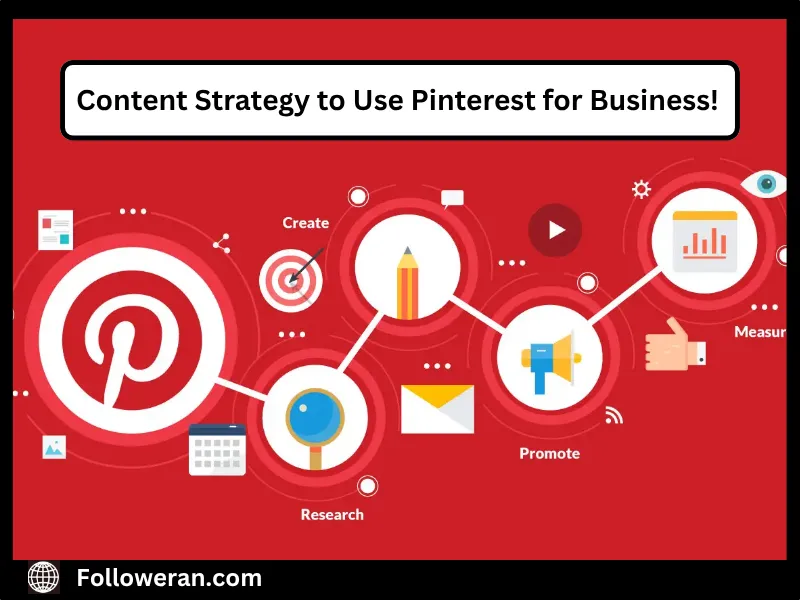
Content is the heart of Pinterest’s success. Pins—visual bookmarks linking to websites or products—must be eye-catching and relevant. Here’s how to create content that drives engagement:
- Design High-Quality Visuals: Use vertical images (2:3 ratio, e.g., 1000×1500 pixels) with vibrant colors and clear text overlays. Tools like Canva can help create professional Pins.
- Focus on Keywords: Add relevant keywords in Pin titles, descriptions, and board names (e.g., “vegan recipes” or “minimalist home decor”). This improves discoverability in searches.
- Create Thematic Boards: Organize Pins into boards like “Summer Fashion Trends” or “DIY Home Projects” to attract niche audiences.
- Use Idea Pins: These multi-page, video-like Pins are perfect for tutorials or storytelling, increasing engagement by 6 times compared to standard Pins.
Note: Post consistently—10-15 Pins weekly—and repin relevant content to keep boards active. To boost engagement further, buy Pinterest likes to make your Pins appear more popular, encouraging organic interactions.
Pinterest Business Manager
To use Pinterest for business effectively, the Pinterest Business Manager offers a streamlined solution for advertisers and agencies managing multiple accounts or brands. This tool centralizes control, enabling you to oversee ad accounts, campaigns, and performance metrics from a single dashboard.
Its two-tiered permission system allows you to assign specific roles (e.g., admin, editor) to team members or partners, ensuring secure and organized collaboration. For example, you can restrict access to creating ads without allowing changes to account settings.
The platform supports parent-child account structures, ideal for complex organizations like global brands with regional campaigns. Unified analytics provide insights into impressions, clicks, and conversions across all accounts, helping you optimize strategies efficiently. Setting up Business Manager requires all collaborators to have a Pinterest business account, accessible via business.pinterest.com.
This tool is invaluable for businesses scaling their presence on Pinterest, where 570 million monthly users seek inspiration. By simplifying workflows and enhancing security, Business Manager empowers teams to align campaigns with audience intent, driving engagement and conversions, making it a must for businesses aiming to maximize their marketing impact on this visual discovery platform.
Pinterest Business Account for Affiliate Marketing
A Pinterest business account is a powerful tool to use Pinterest for business, especially for affiliate marketers tapping into the platform’s 465 million monthly users with high purchasing intent. Unlike personal accounts, it provides analytics, ad capabilities, and rich pins that display product details like pricing, boosting engagement.
Affiliate marketers can share pins with affiliate links to products or blogs, earning commissions when users purchase. Success relies on SEO-optimized pin descriptions with targeted keywords (e.g., “sustainable fashion”) and high-quality visuals created via tools like Canva.
Pinterest’s guidelines require clear disclosure of affiliate links (e.g., “sponsored”) to ensure compliance and transparency. Posting 5-10 fresh pins daily in a niche like home decor or fitness enhances discoverability, while Analytics tracks clicks and conversions to refine strategies. A website isn’t mandatory, but linking to a blog often builds trust and improves conversions. With pins driving traffic for months, Pinterest is ideal for passive income.
Using Pinterest’s Shopping APIs for E-Commerce Success
Pinterest’s Shopping APIs offer businesses a powerful way to use Pinterest for business by turning the platform into a direct sales channel in 2025. Shopping APIs allow seamless integration of product catalogs from platforms like Shopify or WooCommerce, enabling dynamic Product Pins with real-time pricing and availability.
These APIs support features like Collections Ads, where users can shop multiple products from a single Pin, or Try-On Pins using AR for virtual product testing (e.g., makeup or furniture). This enhances the shopping experience for Pinterest’s 70% female and growing Gen Z audience, who are 7 times more likely to buy saved products.
To implement, claim your website, upload your catalog, and enable shoppable Pins via business.pinterest.com. Unlike your affiliate marketing section, this focuses on direct e-commerce, not commission-based links. Track performance with Pinterest Analytics to optimize product visibility.
For example, a fashion brand can showcase a “Summer Outfit Collection” with direct purchase links, driving conversions. Shopping APIs make Pinterest a low-competition, high-intent sales platform, ideal for businesses aiming to capitalize on its e-commerce potential.
Why Pinterest Stands Out for Businesses in 2025?
Unlike platforms focused on fleeting trends, Pinterest’s evergreen content and action-oriented users make it unique. Pins can drive traffic years after posting, offering long-term value. Its visual search engine nature means businesses can reach users when they’re ready to act, not just scroll.
Conclusion: Start Using Pinterest for Business Today!
Pinterest is a dynamic platform for businesses aiming to grow in 2025. By setting up a business account, crafting engaging Pins, leveraging ads, and aligning with trends, you can tap into a highly engaged audience. Use Pinterest for business to drive traffic, boost sales, and build lasting connections. Start today by creating a free business account at business.pinterest.com and explore tools like analytics and ads to elevate your strategy.
FAQs About Use Pinterest For Business
Why should my business use Pinterest instead of other social media platforms?
Pinterest is a visual search engine with 570 million monthly users actively seeking products and ideas, driving 3.8 times more sales than other platforms.
Do I need a Pinterest business account, or can I use a personal account?
A business account is essential for accessing analytics, ads, and creator tools, which aren’t available with a personal account.
Do I need a website to use Pinterest for my business?
No, you can create and publish Pins directly on Pinterest with a business account, though linking a website boosts traffic.
How can Pinterest drive traffic to my website or online store?
Include website links in Pins to direct users to your site, leveraging Pinterest’s high-intent audience to increase organic traffic.
What types of businesses benefit most from Pinterest?
Visual-focused businesses like home decor, fashion, food, and travel thrive, but any brand with inspiring content can succeed.