

Telegram makes privacy a priority—especially in private channels. If you’re trying to figure out how to see members in Telegram’s private channel, it’s important to know what Telegram actually allows. This guide explains what you can (and can’t) see, and how to better understand your audience while respecting privacy.
What Is a Private Channel or Group on Telegram?
A private channel on Telegram is an invite-only space where content is shared with selected members. Unlike public channels, private ones don’t appear in search results, and only people with a direct link can join.
Similarly, a private group is a chat where only invited users can participate and see messages. Both are designed for limited access and greater control—but they work differently when it comes to member visibility.
Who Can Access Private Channels and View Members?
Only users with an invite link or direct access from an admin can join a private Telegram channel or group. But there’s a key difference:
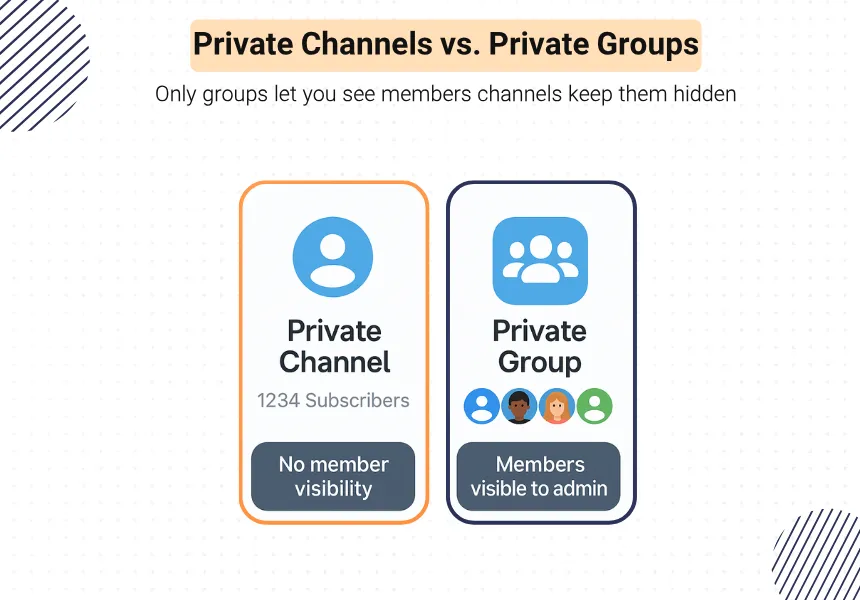
- In private channels, you can’t see who the members are—even if you’re a member yourself. Only the total subscriber count is visible.
- In private groups, admins can see the full member list, while regular users can see others in the chat.
So, unless you’re an admin in a private group, Telegram won’t show you who’s inside.
Running into copyright blocks on Telegram? This concise guide shows safe, legal ways to access content without breaking the rules. Read the full walkthrough here: view copyright channels on telegram.
Limits on Seeing Members in Private Channels
Telegram is designed to protect user privacy—especially in private spaces. Here’s what you need to know:
Public vs. Private: What You Can and Can’t See
- Public channels show the total number of subscribers, but not their names.
- Private channels only show the total count. No usernames or profile info is visible to members.
- In private groups, admins can see the full member list; regular users can see only those who send messages.
Admins Have More Access
Only admins in private groups can view the entire list of members. In private channels, not even admins can see who’s joined—Telegram hides that data for privacy reasons.
Why Telegram Hides Member Info
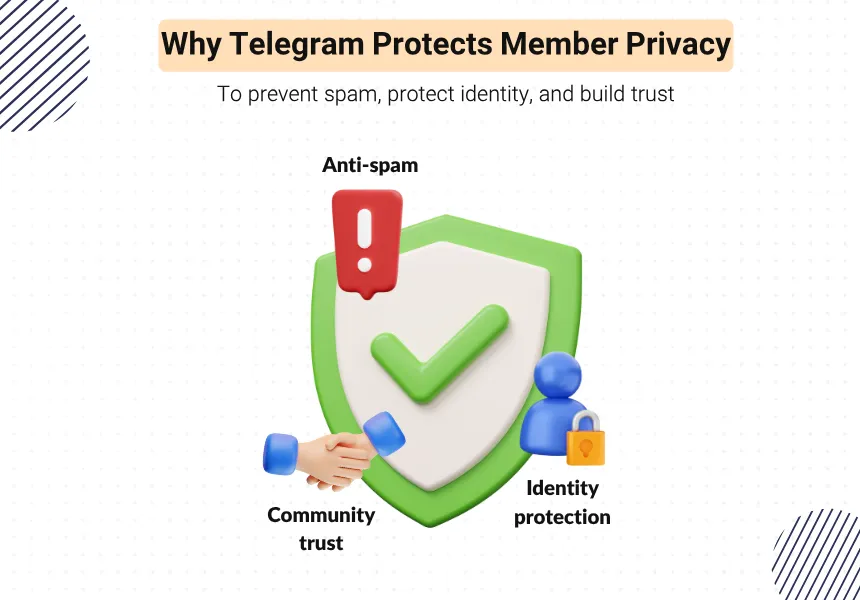
Telegram limits visibility to:
- Protect user identities
- Prevent spam and scraping
- Build trust in private communities
So even if you’re the channel owner, you won’t get access to individual subscriber details.
Ways to See Members in a Private Telegram Group (Not Channel)
While Telegram hides member lists in private channels, private groups offer more flexibility—especially if you’re an admin.
View Members Manually (Admins Only)
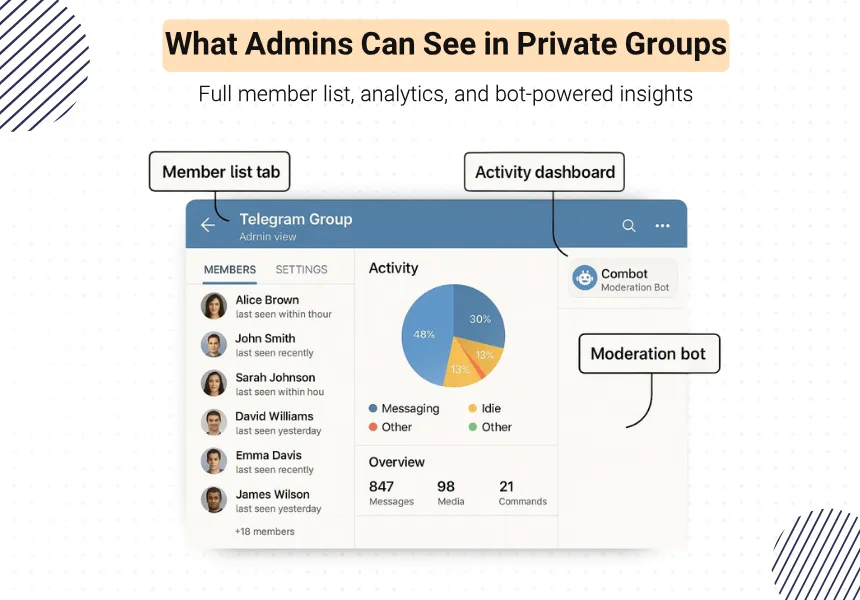
If you’re an admin of a private group, you can view the full member list directly from the group settings.
Go to: Group Info → Members to see who’s joined.
Use Admin Tools or Bots (With Permission)
Some moderation bots like Combot or GroupHelp offer analytics and member tracking tools—only if you’re an admin and have added the bot to the group.
These bots don’t work for private channels—only groups, and only with permission.
In short, if you’re looking to see who’s in your private group, being an admin gives you access. If you’re in a private channel, Telegram keeps that data hidden—even from admins.
Legal and Ethical Concerns of Forcing Member Visibility
Trying to bypass Telegram’s privacy settings to see hidden members isn’t just difficult—it’s unethical, and in some cases, against the law.
Privacy Matters
Telegram is built around user trust. Forcing visibility through unauthorized tools or hacks can:
Break platform rules
- Damage your channel’s credibility
- Violate users’ data rights in certain countries
- Against Telegram Policy
Against Telegram Policy
Using unofficial bots or scraping tools to reveal hidden member info is strictly prohibited. It may lead to:
- Bot removal
- Channel suspension
- Account warnings
Respect Your Audience
Trust is key in private communities. Focus on building engagement instead of breaking privacy walls—your audience will appreciate it.

Alternative Ways to Understand Your Audience
Even if you can’t see who’s in your private Telegram channel, there are smart ways to learn about your audience without violating privacy.
Engagement Metrics
Use features like:
- Polls and reactions to measure interest
- Comments (via discussion groups) to spark conversation
- View counts on posts to track visibility
These signals show you what content works—without needing usernames.
Click-Through Rates (CTR)
- If you share links, shorten them using tools like Bitly or T.ME+UTM tags to track clicks.
- It helps you understand which topics your audience cares about most.
External Analytics Tools
Some bots (e.g., Combot, Livegram) offer post performance summaries, active hours, and even language preferences—without accessing personal data.

Conclusion: Focus on Engagement, Not Exposure
If you’re wondering how to see members in Telegram’s private channel, the short answer is—you can’t. Telegram keeps that information hidden to protect user privacy.
Instead of chasing member lists, focus on engagement, quality content, and smart analytics. These tools help you understand your audience without breaking rules—or trust.
Respect privacy. Build community. And let your content do the talking.
If you’re looking to increase Telegram subscribers, this up-to-date guide walks you through effective free and paid strategies to grow your audience.
FAQs: Seeing Members in Private Telegram Channels
Can bots reveal private members?
No. Bots can’t access member lists in private channels. Even in private groups, they only show member data with admin permissions.
Can I see who viewed my Telegram post?
Not directly. Telegram shows view counts, but not who viewed the post—this applies to both public and private channels.
What if someone screenshots the member list?
In private channels, there’s no visible member list to screenshot. In private groups, only visible members (usually admins) can be seen—screenshotting doesn’t bypass restrictions.