
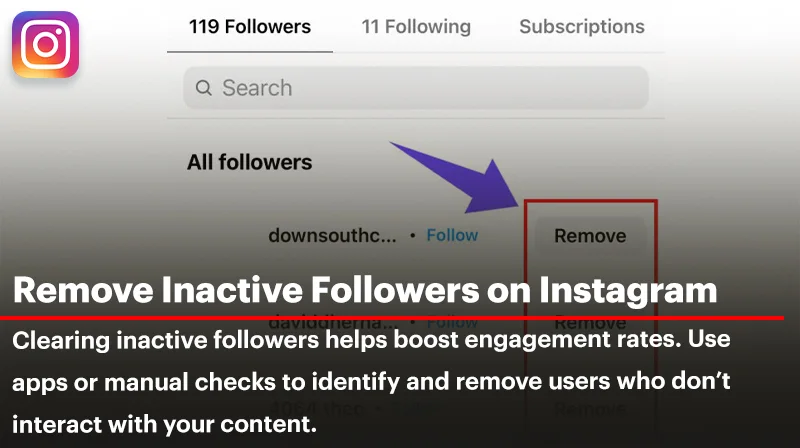
Have you ever wondered why your Instagram engagement rate doesn’t match your follower count? You’re not alone. Many users struggle with low likes, comments, and reach—often due to a hidden issue: inactive followers —also known as ghost followers—are accounts that follow you but never interact with your content; they might be bots, fake accounts, inactive users, or real people who no longer care about your posts. Removing inactive followers on Instagram is important because they lower your engagement rate, mislead your analytics, and offer no real value—making a smaller, active audience more beneficial than a large, unengaged one.
This comprehensive guide explains how to identify and remove inactive Instagram followers. We’ll also share tools and, in the end, give you safe ways to clear ghost Instagram followers in bulk. So if you want to know how to find and remove inactive followers Instagram or even use apps for that, stay with us.
How to Find & Remove Inactive Instagram Followers; First Step
For the first step you need to know how to find inactive followers on Instagram and there are 3 different ways for this:
- Manual Review: Check for accounts with no profile picture, zero posts, or generic usernames. These are often indicators of inactive or fake profiles.
- Engagement Metrics: Use Instagram Insights to spot followers who haven’t interacted with your posts over time.
- Third-Party Tools: Platforms like HypeAuditor can help identify and analyze inactive followers.
Be aware that after removing ghost followers, your next step should be focused on growing a real and engaged audience. To help with that, we have a separate guide titled “Effective Tricks to Increase Instagram Followers” packed with actionable strategies and proven methods to boost your reach and attract genuine followers.
Second Step
The second step for removing inactive followers on Instagram also involves three key actions:
- Manual Removal:
- Go to your profile and tap on ‘Followers’.
- Identify inactive accounts.
- Tap the three dots next to their name and select ‘Remove’.
- Use Instagram’s ‘Least Interacted With’ Feature:
- Navigate to your profile and tap ‘Following’.
- Select ‘Least Interacted With’ to see accounts you’ve had minimal interaction with.
- Review and remove as necessary.
- Third-Party Applications:
- Tools like AiGrow offer services to identify and remove ghost followers efficiently.
Now that we have talked about removing ghost accounts, draw your attention to the article titled “Remove an Instagram Follower in Desktop and Mobile,” where we explain step-by-step how to remove followers using both the Instagram app and the desktop version efficiently.
Remove Inactive Instagram Followers On Android +Phone
One of the repeated questions that have been asked is “How to find & remove inactive instagram followers on iPhone” and for the answer you need to know in terms of removing inactive Instagram followers, there is no major difference between Android and iPhone. Both platforms follow the same basic steps, however, here are minor differences you might notice:
- Interface layout may look slightly different due to design variations between iOS and Android.
- Some third-party apps for managing followers may be exclusive to one platform or may function better on Android due to fewer restrictions.
- iOS tends to limit app permissions more strictly, which could affect apps that analyze followers.
If you’re cleaning your audience to improve engagement, consider balancing it with growth—check out our guide on how to get Free Instagram Followers to rebuild a genuine, active community that boosts your profile naturally.
How to Remove Ghost Instagram Followers in Bulk?
To remove ghost Instagram followers in bulk, you can use trusted third-party tools like AiGrow, Followers Insight, or Cleaner for IG, which help identify and filter out inactive accounts efficiently. However, be cautious not to remove more than 50–100 followers per day, as excessive actions may trigger Instagram’s spam detection.
Always review the list manually to avoid accidentally removing real users, and only use tools that comply with Instagram’s API to protect your account.
Note: Ready to boost your engagement after removing ghost followers? Take the next step and Buy Instagram Followers from real, active accounts to strengthen your presence and grow your community with confidence.
Remove Inactive Followers Instagram app
If you decide to use tools, these are some of the most recommended (as of 2025) remove inactive followers on Instagram app:
| Tool | Features | Risk Level | Best Use Case |
| HypeAuditor | Audit fake followers, real vs. ghost stats | Low | Brands and influencers |
| AiGrow | Instagram manager with ghost removal features | Medium | Content creators |
| Followers Insight | Highlights inactive users and unfollows | Medium | General account cleanup |
| Cleaner for IG | Bulk unfollow & mass removal options | High | Not recommended unless usage is minimal |
Always read user reviews and check permissions before giving third-party apps access to your profile.
Summary; Remove Inactive Followers Instagram
In summary, learning how to find & remove inactive Instagram followers on iPhone or any device is a smart move to improve engagement, clean your analytics, and build a stronger, more authentic community. Whether you choose to remove inactive followers on Instagram manually or with trusted tools, identifying and clearing ghost followers can significantly boost your account’s performance.
Just remember to grow intentionally afterward—by combining smart removal with real follower strategies, your Instagram growth becomes both healthy and sustainable.
FAQs About Remove Inactive Followers
Should You Remove Inactive Followers If You’re a Business or Influencer?
Absolutely. For businesses, genuine engagement is more valuable than a vanity metric. By making the decision to remove inactive followers on Instagram allowed to pile up over time, you’re investing in a cleaner, more trustworthy brand image.
What Happens After You Remove Inactive Followers?
Cleaning your follower list boosts your engagement rate, enhances the accuracy of audience insights, and increases your content’s visibility on Instagram through stronger post-performance signals.
Is there any difference between Android and iPhone for removing followers?
Removing inactive Instagram followers works the same on both Android and iPhone, with no major functional differences. Minor layout changes and app restrictions may vary slightly by device.