
Instagram introduced the comment limitation feature to help users combat spam, negativity, and unwanted interactions. When activated, it restricts who can comment on your posts, often limiting comments to followers, people you follow, or specific groups. This can protect your mental health and maintain a positive community, but it may also reduce engagement or confuse followers who can’t interact freely. Knowing how to remove limited comments on Instagram is essential if you want to restore open communication while keeping your account safe.
This guide provides a comprehensive overview of how to remove limited comments on Instagram, ensuring your posts are open to the audience you desire. We’ll also explore common problems users face, how to delete comments on a Post where comments have been limited, and when it’s actually smart to keep comment limits active.
Why You Might Want to Remove Limited Comments on Instagram?
There are several reasons to disable comment limitations.
- First, open comments boost engagement, which is crucial for influencers, brands, or anyone aiming to grow their audience. Limited comments can deter followers from interacting, potentially lowering your post’s visibility in Instagram’s algorithm.
- Second, you might want to foster a more inclusive community where all followers feel heard.
- Finally, if Instagram has automatically applied restrictions due to suspected spam or unusual activity, removing these limits can restore normal functionality. So learning how to remove limited comments on Instagram empowers you to balance engagement with control.
To further amplify interaction after removing restrictions, consider using tools that help spark engagement—you can even buy Instagram comments to give your posts an initial boost and encourage organic conversation.
Step-by-Step Guide to Remove Limited Comments on Instagram
Below is a detailed guide to help you remove limited comments on Instagram using the mobile app, as the feature is not available on the Instagram website.
- Open the App: Launch Instagram on your smartphone and log into your account.
- Navigate to Your Profile: Tap the profile icon in the bottom-right corner to access your profile page.
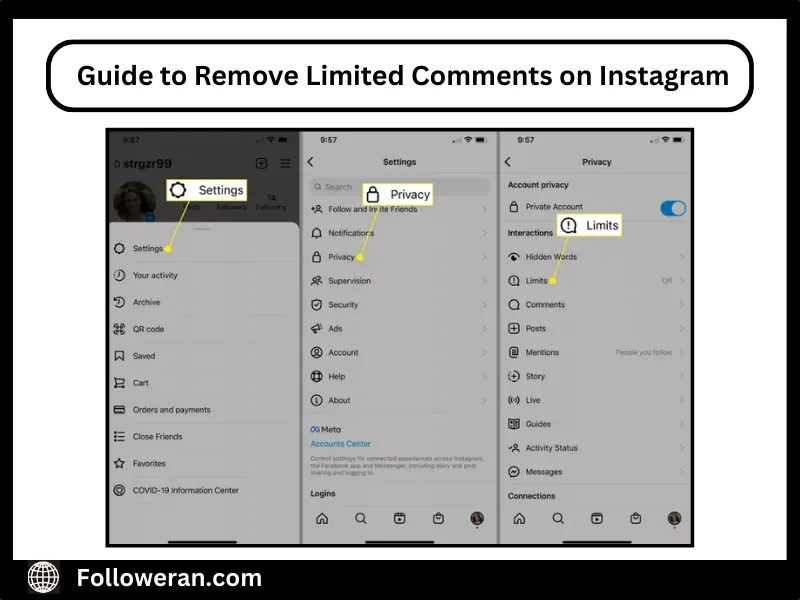
- Access Settings: Tap the three horizontal lines (hamburger menu) in the top-right corner, then select “Settings” from the menu.
- Go to Privacy Settings: Scroll down and tap “Privacy” to view options for managing interactions.
- Find the Limits Option: Look for “Limits” or “Limited Interactions” (the exact wording may vary by app version). If it’s active, it will show as “On.”
- Disable the Feature: Tap “Limits,” then select “Turn Off” to disable comment restrictions. You may also see options to adjust who is limited (e.g., recent followers or non-followers). Modify these settings as needed or turn them off entirely.
- Save Changes: Confirm your selection to ensure the changes take effect.
After completing these steps, your posts should allow comments from all followers or anyone, depending on your account’s privacy settings.
If you’re looking to create that kind of buzz quickly, you can even subtly buy Instagram comment replies to simulate authentic interactions and inspire others to join the conversation.
Troubleshooting Common Issues When Removing Comment Limits
Sometimes, removing limited comments on Instagram doesn’t work as expected. Here are common issues and solutions:
- Limits Reappear Automatically: If Instagram keeps reapplying limits, it might detect spam or unusual activity. Review your recent posts for flagged content (e.g., excessive hashtags or promotional material) and remove it. Contact Instagram support through the app’s “Help” section if the issue persists.
- Feature Not Visible: If you can’t find the “Limits” option, ensure your app is updated to the latest version. Go to your device’s app store and check for updates.
- Comments Still Restricted: After turning off limits, verify your account’s privacy settings. Only followers you’ve approved can leave comments if your account is set to private. Switch to a public account if desired (Settings > Privacy > Account Privacy).
- Temporary Bans: If Instagram has flagged your account for spam, you may face temporary restrictions. Avoid rapid commenting or posting, and wait 24–48 hours before trying to remove limited comments on Instagram again.
As we mentioned before, once you remove limited comments, your post becomes more open to interaction. To make your comments stand out, you can buy Instagram comment likes to highlight the most important or engaging ones and increase your post’s reach in the algorithm.
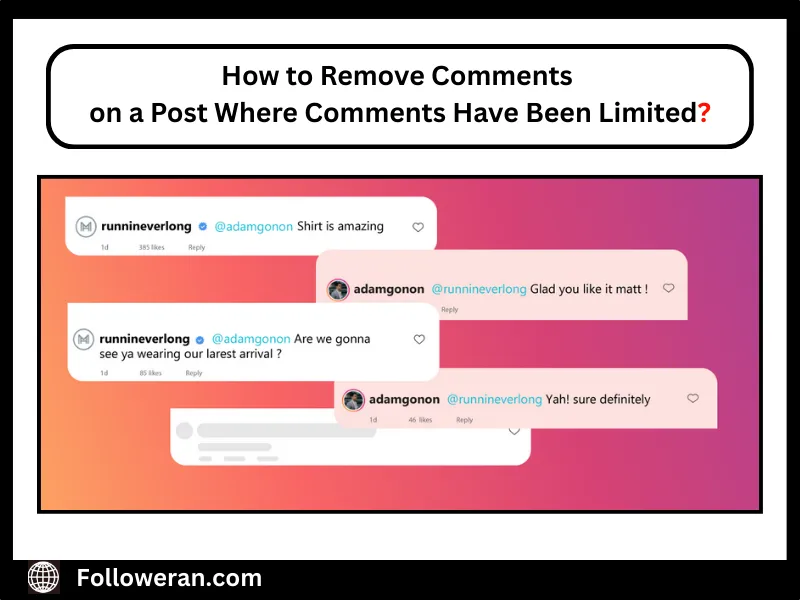
How to Remove Comments on a Post Where CMs Have Been Limited?
If you’ve limited comments on an Instagram post but still want to delete individual comments already made, you can still remove them manually—even with comment restrictions in place. (Limiting comments only affects who can comment, not whether you can delete existing ones.) So:
- Open the Instagram app on your mobile device.
- Go to your post where comments are limited.
- Tap the speech bubble icon to see all the comments on the post.
- Find the comment you want to delete.
- On iPhone: Swipe left on the comment and tap the trash icon.
- On Android: Tap and hold the comment, then tap the trash can icon at the top.
- Confirm deletion if prompted.
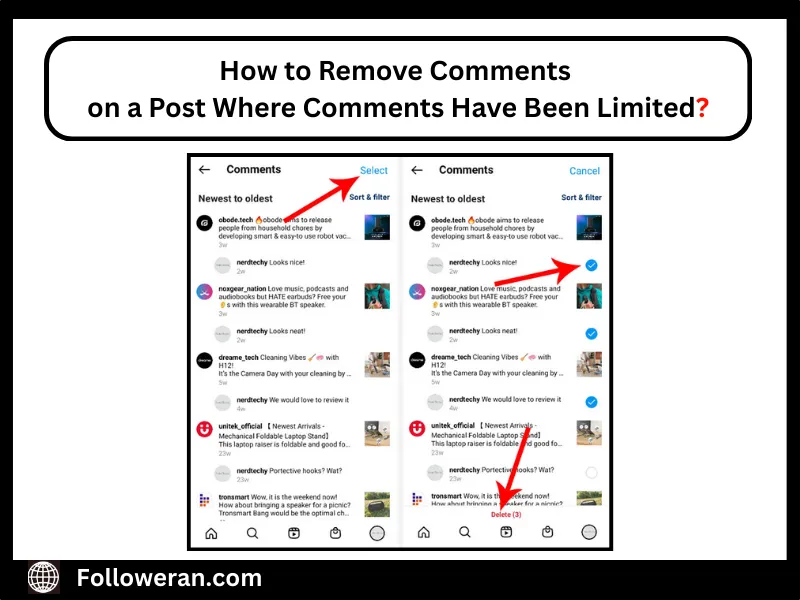
Note: You can delete your own comments and any comments made on your posts, regardless of whether comment limitations are active.
Can You Delete Comments on Someone Else’s Instagram Post?
If you’re wondering whether you can remove comments on a post where comments have been limited and it belongs to another account, here’s the answer:
You cannot delete comments on someone else’s post—unless:
- You’re deleting your own comment that you posted on their content.
- You are an admin or manager of the account (e.g., through a business account with shared access via tools like Meta Business Suite).
When to Keep Comment Limits in Place?!
While removing comment limitations on Instagram can boost engagement, there are scenarios where keeping them is beneficial:
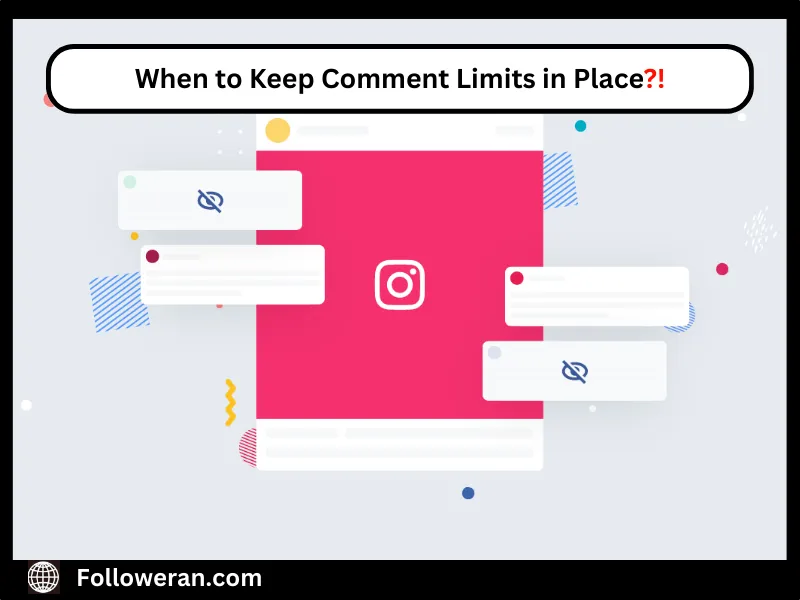
- High-Profile Posts: If a post goes viral, limits can protect you from spam or trolling.
- Mental Health Protection: Restricting comments from non-followers or recent followers can reduce negativity, especially for public accounts.
- Brand Management: Businesses may limit comments to ensure only positive or relevant interactions appear publicly.
Evaluate your goals and audience before deciding whether to remove limited comments on Instagram or retain some restrictions.
Final Thoughts on Deleting Comments on Instagram
Removing limited comments on Instagram is more than just adjusting a setting—it’s about finding the right balance between protecting your space and encouraging genuine engagement. While the comment limitation feature is useful in specific situations, opening up conversations can foster trust, build community, and improve visibility in the algorithm.
By using smart strategies like comment moderation, content planning, and even tools to boost interaction—such as buying Instagram comment likes or replies—you can shape a comment section that works for your goals. Ultimately, the decision to remove or keep limits should align with your audience, brand identity, and mental well-being.
FAQs on Managing Comments on Instagram
Will removing comment limits restore previously hidden comments?
No, removing limits allows new comments but doesn’t automatically unhide or restore previously hidden ones.
Can I remove comment limits for a specific post only?
Instagram’s comment limits apply account-wide; you can’t set them for individual posts.
How can I check if comment limits are currently active on my account?
Navigate to Settings > Privacy > Limits to see if the feature is turned on.
Why does Instagram keep reapplying comment limits automatically?
Instagram may re-enable limits if it detects unusual activity, such as spammy behavior or sudden surges in engagement.
Will removing comment limits notify my followers?
No, Instagram doesn’t send notifications when you change comment limit settings.
Can I still delete individual comments after removing limits?
Yes, you can delete any comment on your posts at any time, regardless of your comment settings.
Does removing comment limits impact my post’s visibility in the algorithm?
Allowing more users to comment can increase engagement, which may positively influence your post’s reach.